![Clive Logo - stacked - black 600px-1.png]](https://support.clivecoffee.com/hs-fs/hubfs/Clive%20Logo%20-%20stacked%20-%20black%20600px-1.png?height=40&name=Clive%20Logo%20-%20stacked%20-%20black%20600px-1.png)
Tools required:
- #1 (small) Phillips head screwdriver
Before continuing ensure the power cord is unplugged from the outlet and disconnected from the machine.
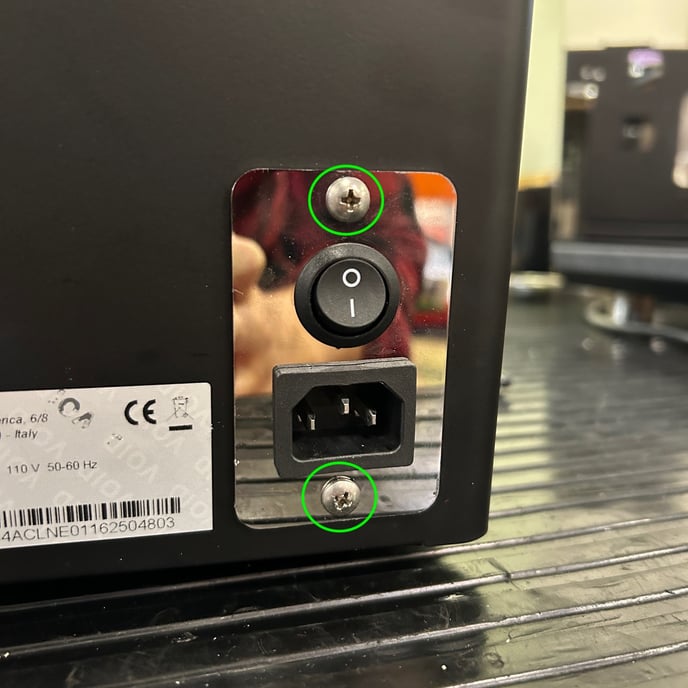
- Remove the top panel.
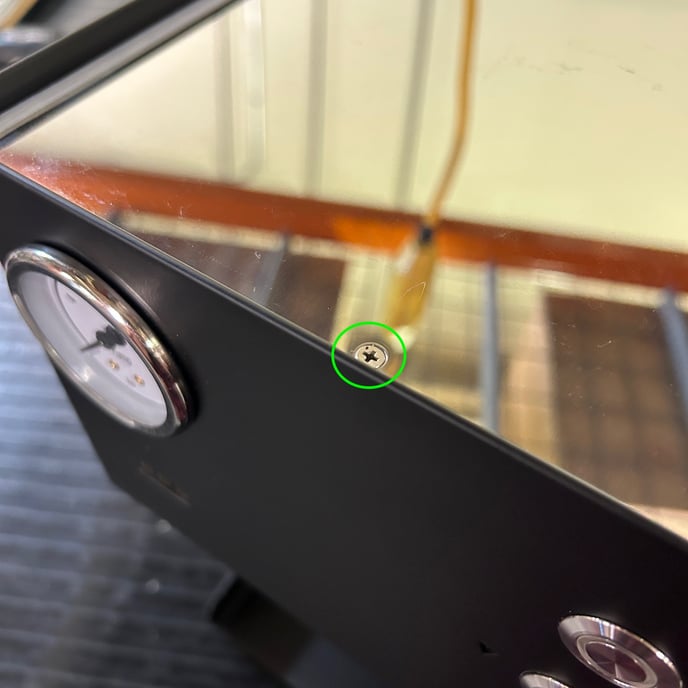
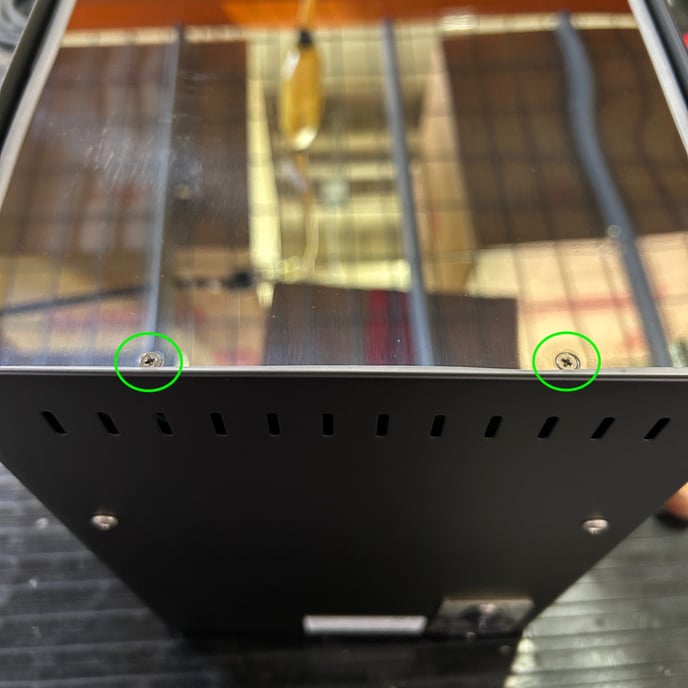
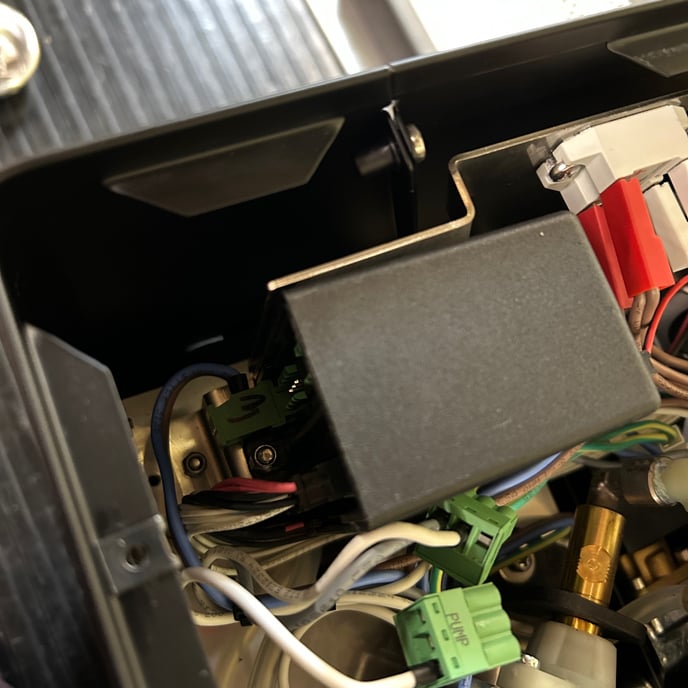
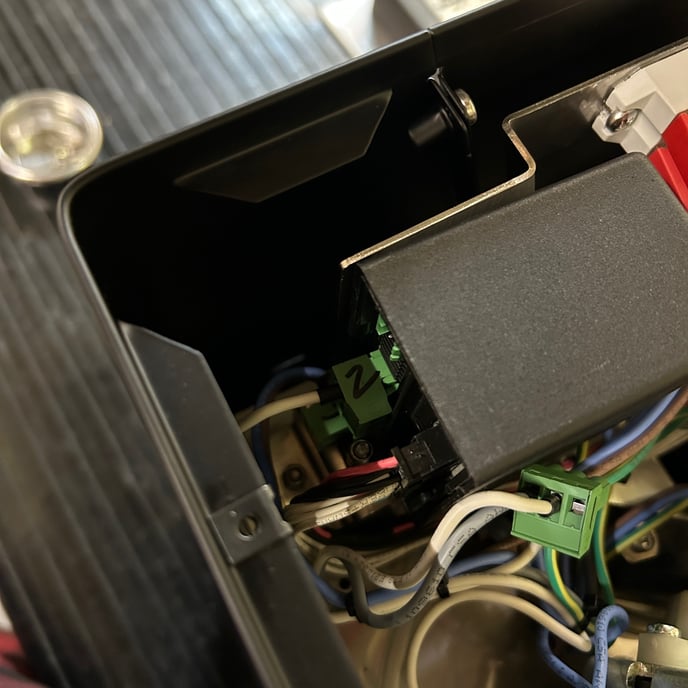
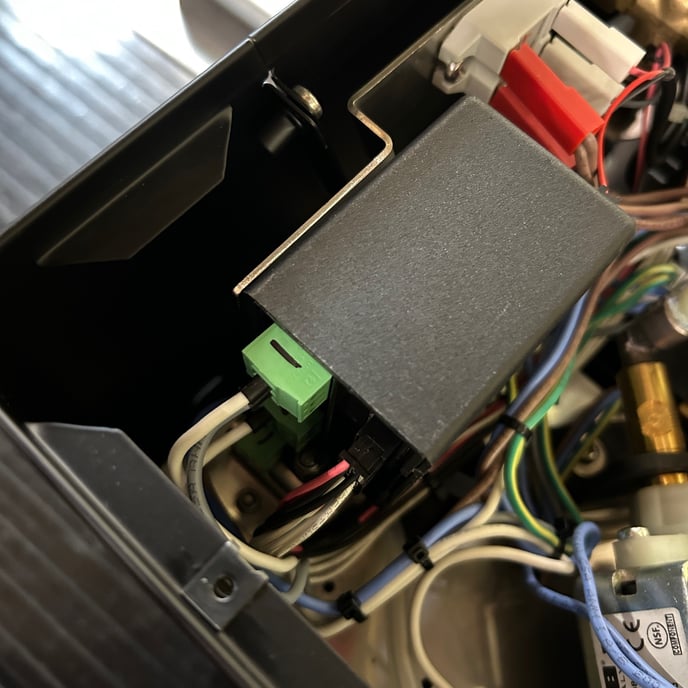
- Identify the main computer (CPU)
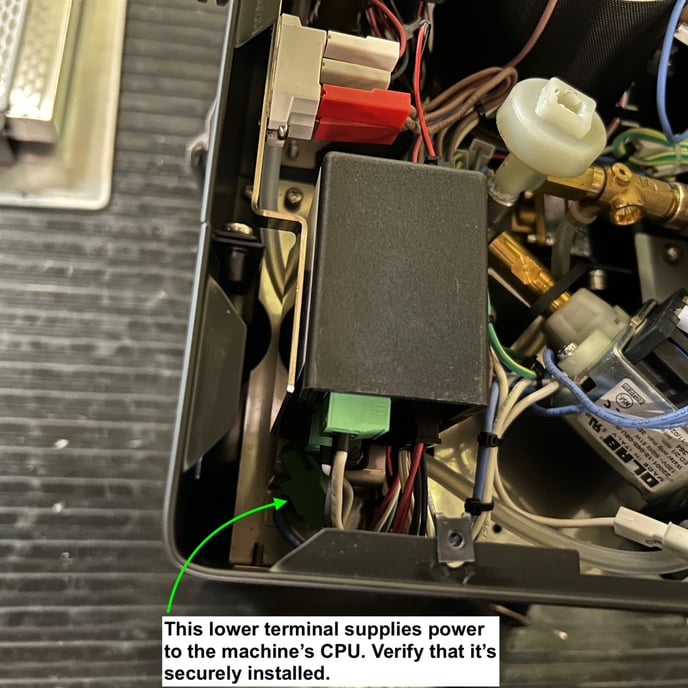
- Inspect the wiring. It may help to label the connectors with a permanent marker to ensure these are plugged back in to the correct terminals.
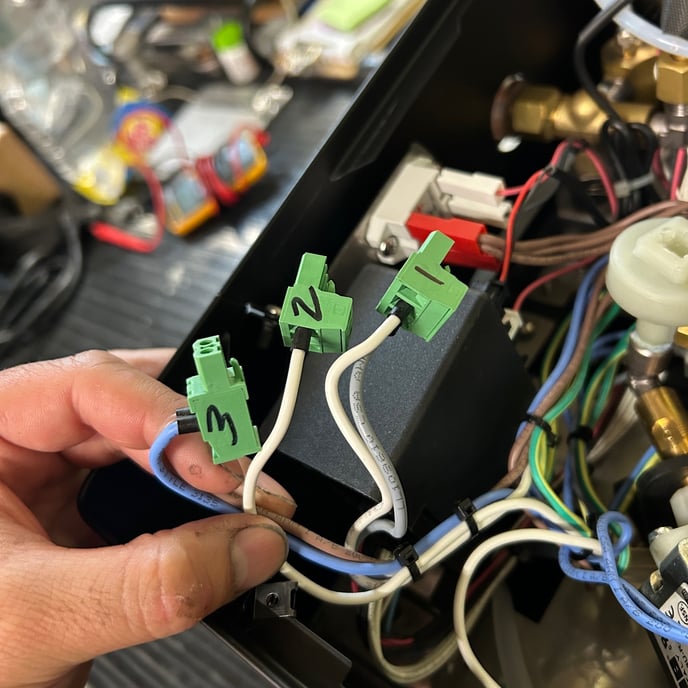
- Gently but firmly reseat the wiring to the CPU. Start from the furthest down and move upwards for ease of access.
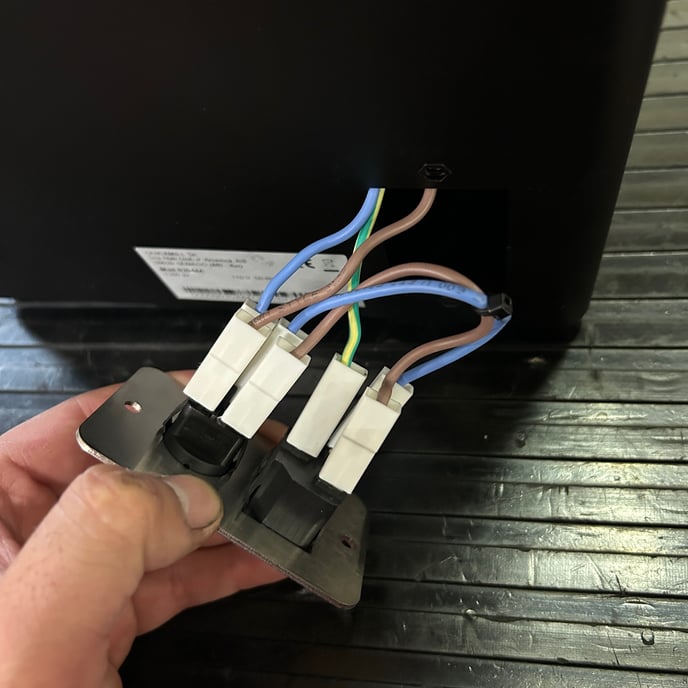
- Reassemble the machine and power on to test. If the machine is still not receiving power it may be necessary to inspect the wiring to the power inlet and power switch.
See also:
- LUCCA Tempo: Replacing the Power Switch
- LUCCA Tempo: Replacing the CPU