![Clive Logo - stacked - black 600px-1.png]](https://support.clivecoffee.com/hs-fs/hubfs/Clive%20Logo%20-%20stacked%20-%20black%20600px-1.png?height=40&name=Clive%20Logo%20-%20stacked%20-%20black%20600px-1.png)
Tools Needed:
- 3mm Allen wrench or hex driver
- 2.5mm Allen wrench or hex driver
- Flathead screwdriver
- Portafilter with backflush disc
1. Start by removing the reservoir and reservoir cover from the machine.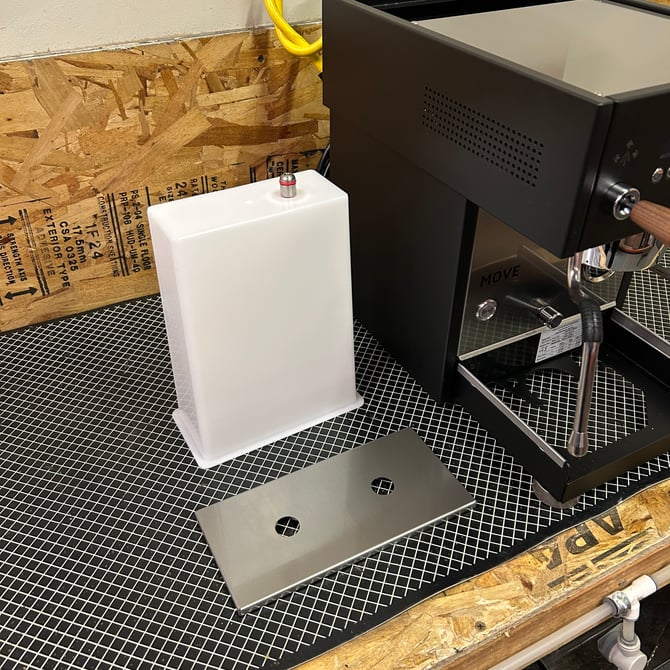
2. Remove the four screws holding the top panel in place, then set the top panel aside.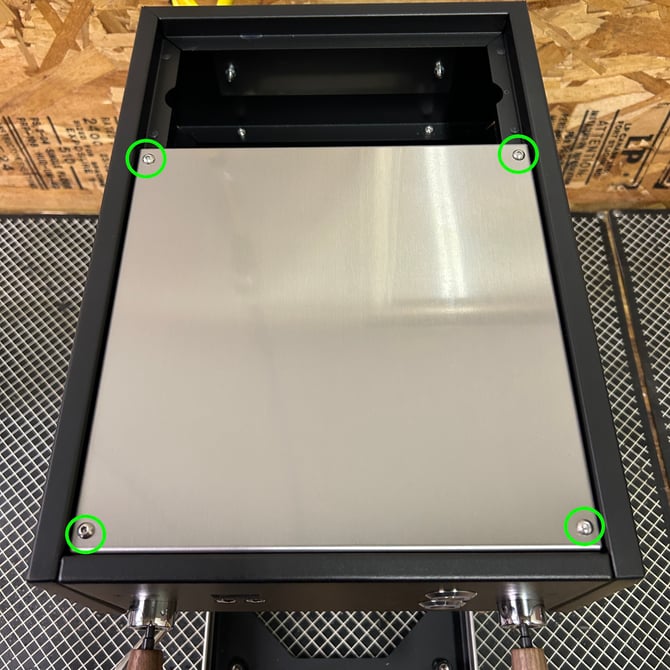
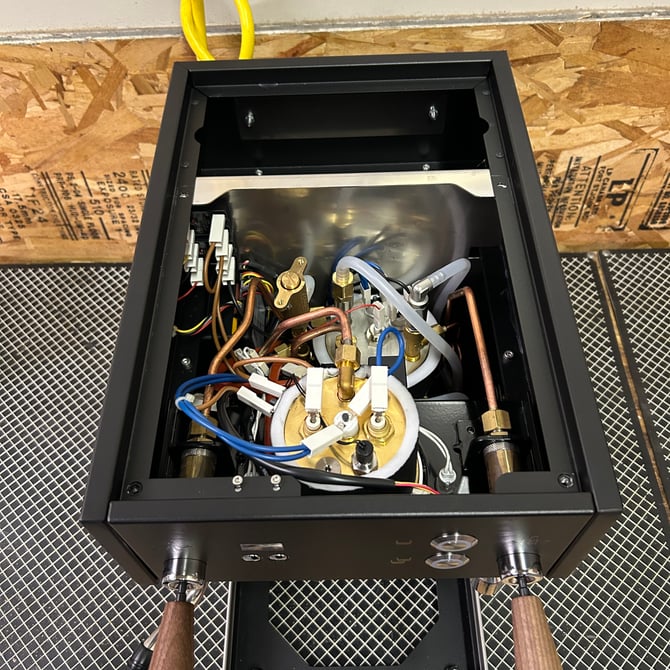
3. Identify the machine's expansion valve (OPV)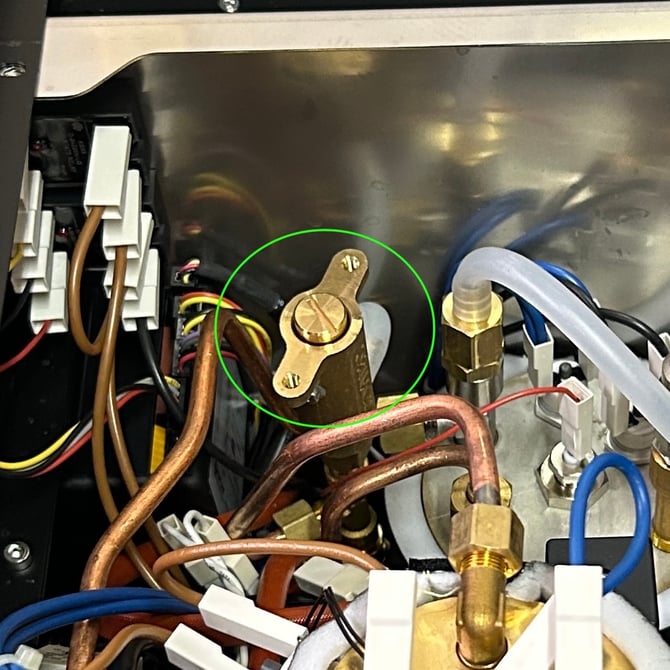
4. Now fill and reinstall the water reservoir. Plug the machine in and power it on. Lock the portafilter with the backflush disc installed into the group head.
5. Press one of the brew buttons to start the machine's pump running and keep an eye on the brew pressure gauge.
6. While the machine's pump is running use the flathead screwdriver to turn the expansion valve adjustment screw clockwise to increase the brew pressure OR counter-clockwise to decrease the brew pressure. You should see the needle on the gauge move up or down depending on which direction you're adjusting the expansion valve.
IMPORTANT: Never run the pump for longer than 30-seconds at a time while backflushing.
You may need to make multiple small adjustments to achieve your desired brew pressure. Give the pump ~30 seconds to rest in between adjustments, in order to prevent overheating the pump.